
An AI Desktop Explorer,
Built Around Your Files.
Eckho is a file explorer with AI built in — click a button and it becomes a legal assistant, a research analyst, a manuscript editor, or a study tool. It still runs on your own machine, on your own files. Nothing uploaded, nothing changed without your approval. Powered by your choice of GPT or Claude — pick the engine, Eckho does the rest.
Install → Point at a Folder → Index Once → AI Works on Your Files
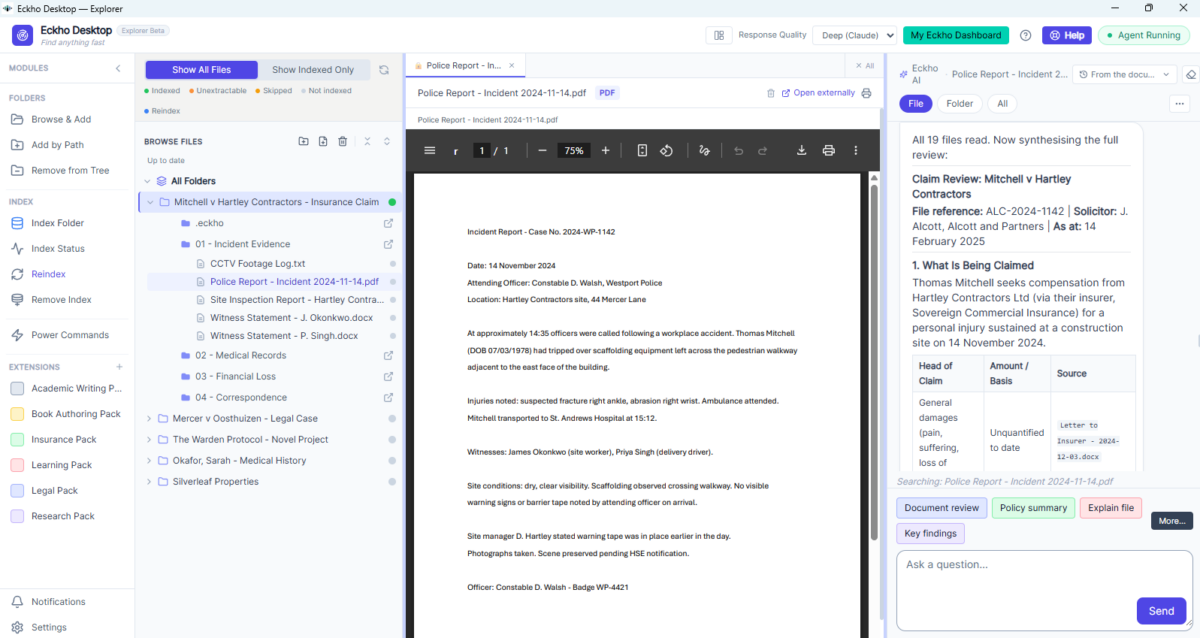
Working with files shouldn't be this hard.
Every day you open files, update documents, move things around, and try to find what you need. Most of it is slow, repetitive, and done one file at a time.
AI tools promise to help — but they live in a browser, need you to copy and paste, and don't touch your actual files. When the session ends, you still have to do the doing yourself.
Eckho Desktop works where your files actually are — on your machine. It sits beside you as you work, helps you edit, organise, and understand your documents, and waits for your say-so before changing anything.
AI that helps. On files that are yours. On a machine you control.
Slow, Repetitive Work
Updating the same field across ten documents. Renaming a batch of files. Moving things into the right folder. Done by hand, one at a time.
The Upload-Wait-Download Trap
Every time you use online AI with a file, you upload it, wait, get results, download, then go back to work. Then the file changes and the AI has a stale copy. You repeat the cycle — manually, every time.
Cloud AI Drifts Out of Sync
Upload a file to any AI tool and then update it — the AI is still working from the old version. There is no sync. You have to re-upload manually or accept answers based on outdated content.
Folders Nobody Maintains
Things get saved in the wrong place. Old versions stack up. Nobody has time to keep it tidy — so it never is.
Open your files. Work alongside AI.
Eckho Desktop is installed on your Windows machine. No cloud. No browser. Just a workspace that sits where your files are.
Install
Download and install Eckho Desktop. One installer — no technical setup needed.
Point at a Folder
Choose any folder — local drive, OneDrive, Google Drive, or Dropbox. Wherever your files actually live, that is where Eckho works.
Index
Eckho indexes the folder once. After that it tracks changes automatically — so GPT and Claude are always working from the latest version of every file.
Work Together with AI
Open, edit, and manage files with AI alongside you. Ask it to help, fix, move, or find anything.
You Approve
Before the AI changes anything, it shows you what it is about to do. You say yes or no.
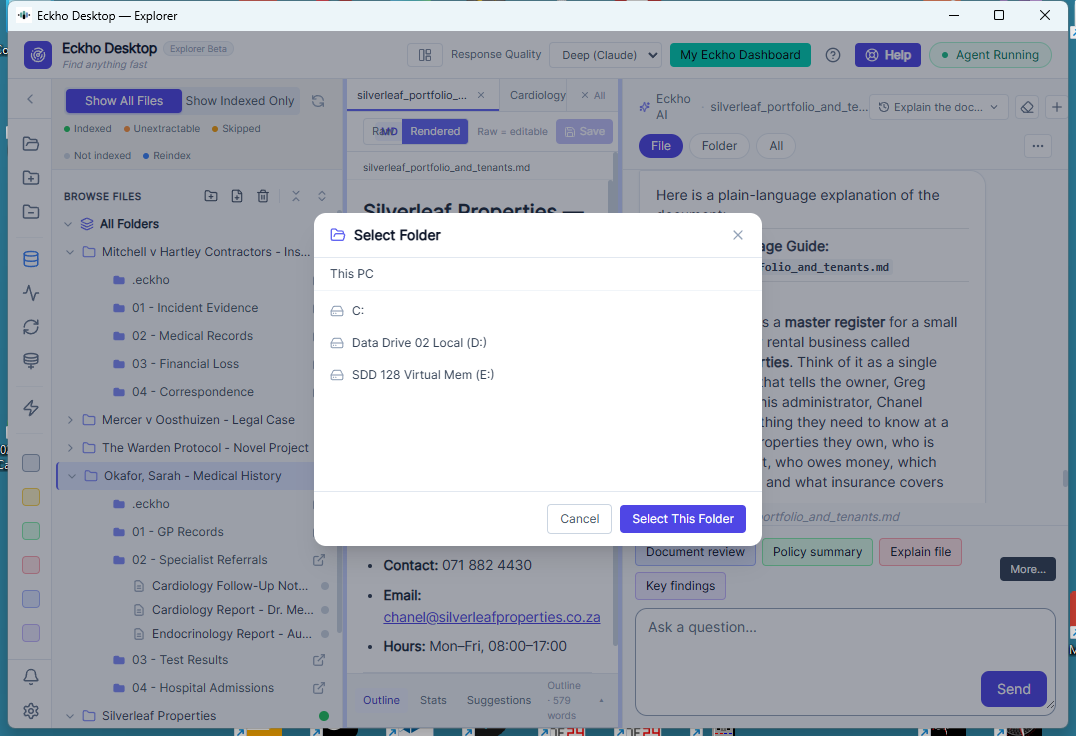
What you and your AI can do together.
Eckho Desktop works alongside you on your real files. Edit, organise, extract, and understand — faster than you could alone.
"Update this clause across all the contracts in this folder."
"What does this PDF say about the cancellation policy?"
"Rename these files to follow our standard naming format."
"Move last year's files into an archive folder."
"Write a summary of this document for me."
"Find all files that mention this client's name."
"Compare these two versions and show me what changed."
"Tidy up this folder — group files by type and date."
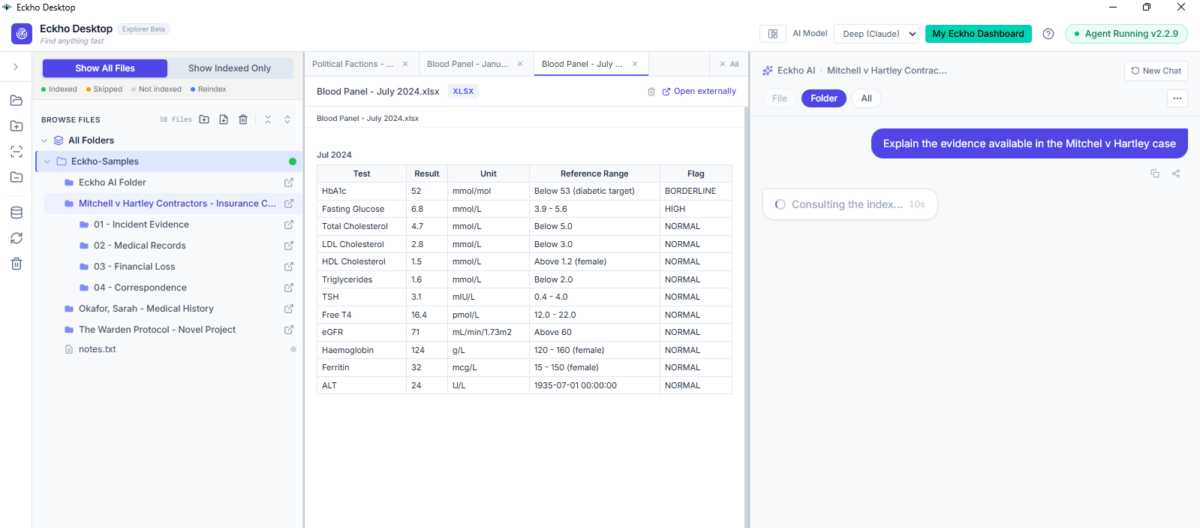
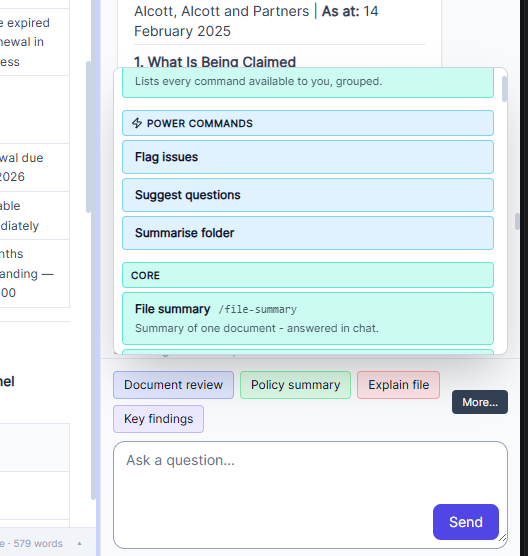
Type a Slash, Click a Button, or Just Ask — Your Call.
Nothing at Eckho is locked behind a command — you can always type plain English. The buttons and slash commands exist because most people don't want to figure out the perfect prompt every time. A command isn't a limitation — it's someone else's expertise, already solved, ready for you to click.
Type "/" for a filtered command menu, or click colour-coded quick-action buttons above the chat.
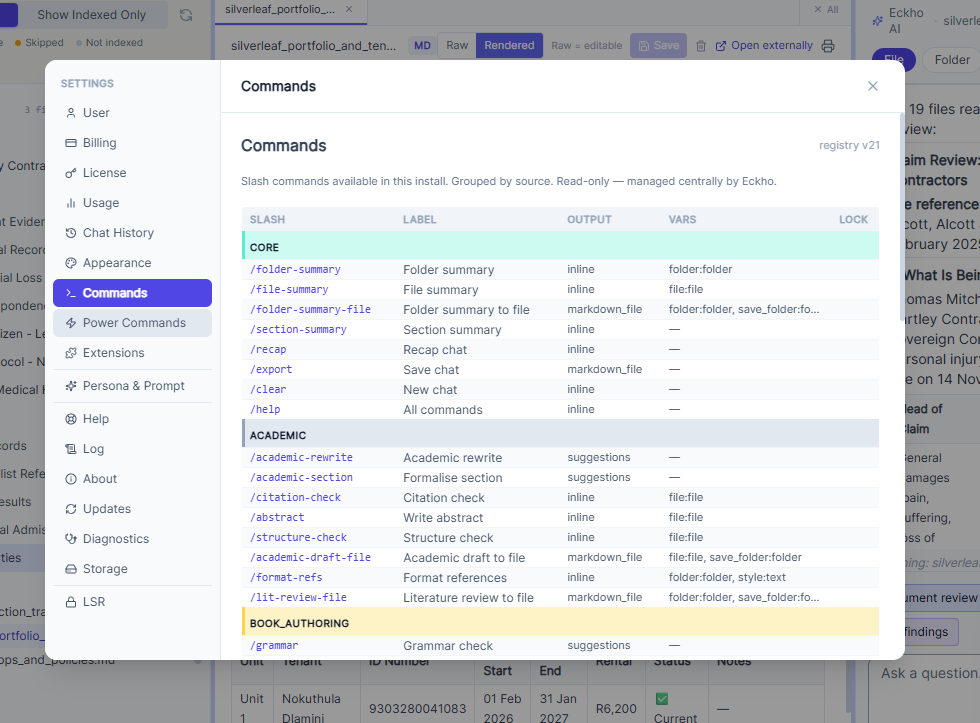
A central, expert-maintained command list — new commands and whole packs appear without reinstalling.
Every command drops into the chat box for you to review, edit, or send — it never runs blind.
Badges on each command show what it will do — answer in chat, propose a file for approval, or work on your highlighted selection.
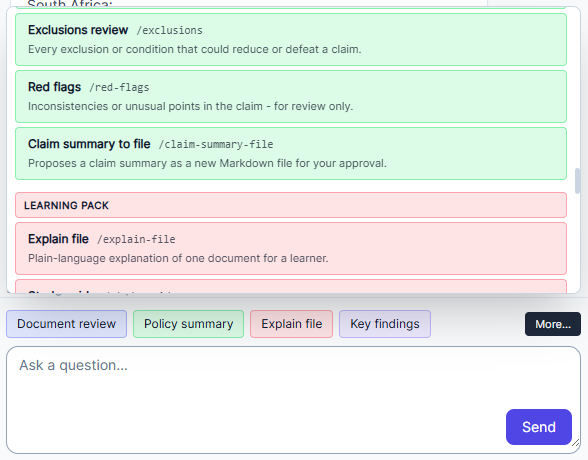
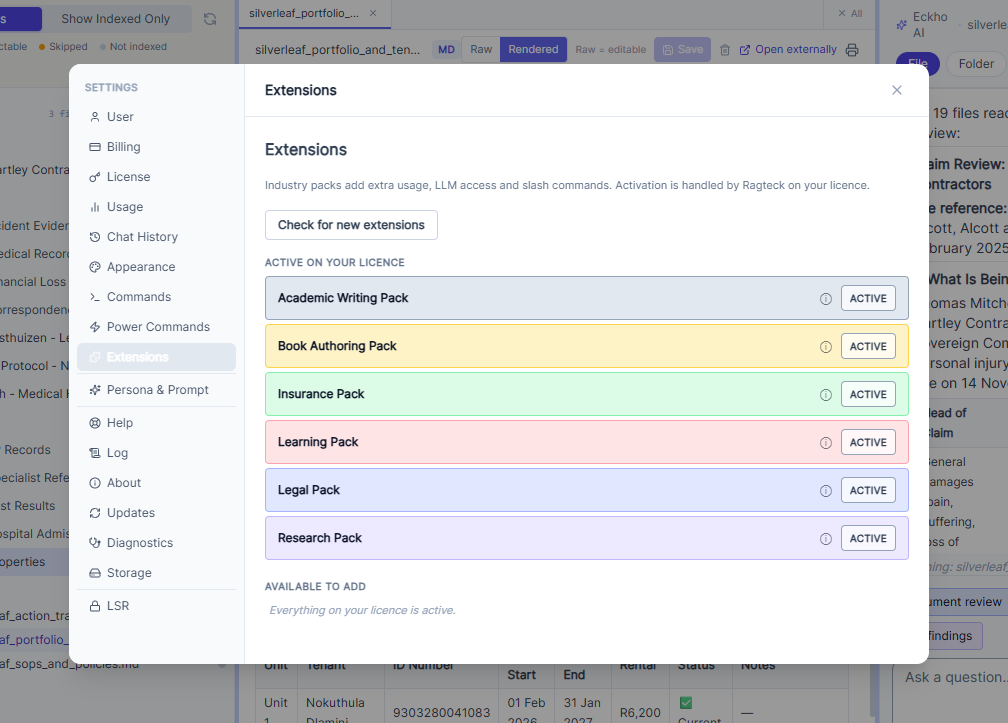
Core, Plus Legal, Insurance, Book Authoring, Research, and Learning.
Core is always on. Toggle Legal, Insurance, Book Authoring, Research, and Learning packs on or off per machine to focus the command set on the task at hand. Each pack shows as its own coloured button in the icon bar — Core teal, Legal blue, Insurance green, Book Authoring amber, Research violet, Learning rose. Packs activate instantly per licence — no reinstall needed.
Legal
/case-brief • /extract-dates • /missing-evidence • /court-ready
Insurance
/claim-review • /policy-compare • /coverage-check
Book Authoring
/story-so-far • /character-check • /proofread-section • /line-edit-file • /synopsis-file
Research
/lit-summary • /key-findings • /source-list • /gap-analysis
Learning
/study-guide • /explain-topic • /quiz-me • /flashcards
AI That Edits Inside Your Files — Not Just in a Side Chat.
Select a paragraph or place your cursor in a chapter, and Eckho highlights the exact span it will work on. A review panel shows one card per suggested change — original text, suggested change, and why — with Accept, Reject, or Accept All. Nothing is written to disk until you save, exactly like reviewing a tracked change.
A Junior Writer With an English Teacher on Call
Every suggested change is explained, not just applied — you see the original, the suggestion, and why.
A Lawyer Editing a Draft With a Second Pair of Eyes
Accept, reject, or accept all — nothing lands in the file until you say so.
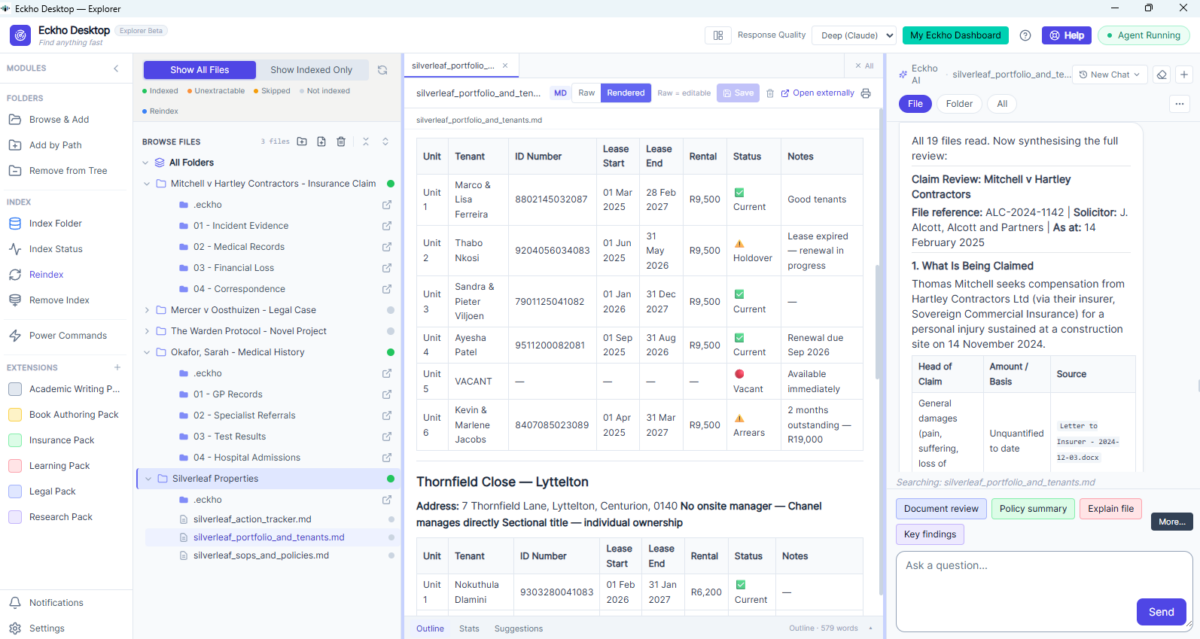
AI that works where you work.
Eckho Desktop isn't a separate tool you have to switch to. It is right there beside your files, ready when you need it.
Edit Text Files with AI Alongside
Open any editable document — Word files, text documents, spreadsheets — and work on it with AI helping. Rewrite, correct, update, and improve as you go.
View and Query Locked Files
PDFs and other locked files cannot be edited, but Eckho can read them for you. Ask questions, pull out content, and get summaries without copy-pasting a thing.
Folder and File Management
Ask the AI to rename, move, archive, or organise files for you. It builds the plan, shows you what it intends to do, and waits for your go-ahead.
Nothing Leaves Your Machine
Your files are read and used locally. No uploads. No cloud processing. No third-party system ever touches your documents.
Always Current — No Drift
Eckho Desktop reads your files as they are right now. When a file changes, Eckho tracks it. GPT and Claude are always working from the live version — not a copy you uploaded days ago.
Create Apps From Any Indexed Folder
Turn any indexed folder into a shareable app — accessible by link on mobile or desktop for yourself or your audience. They browse and query your content through the app. Your files never move.

More Under the Hood
A couple of smaller details that make day-to-day use smoother.
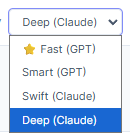
Choose Your AI Quality
Pick the model and quality level for the task at hand, right from a small dropdown.
Track Your Usage
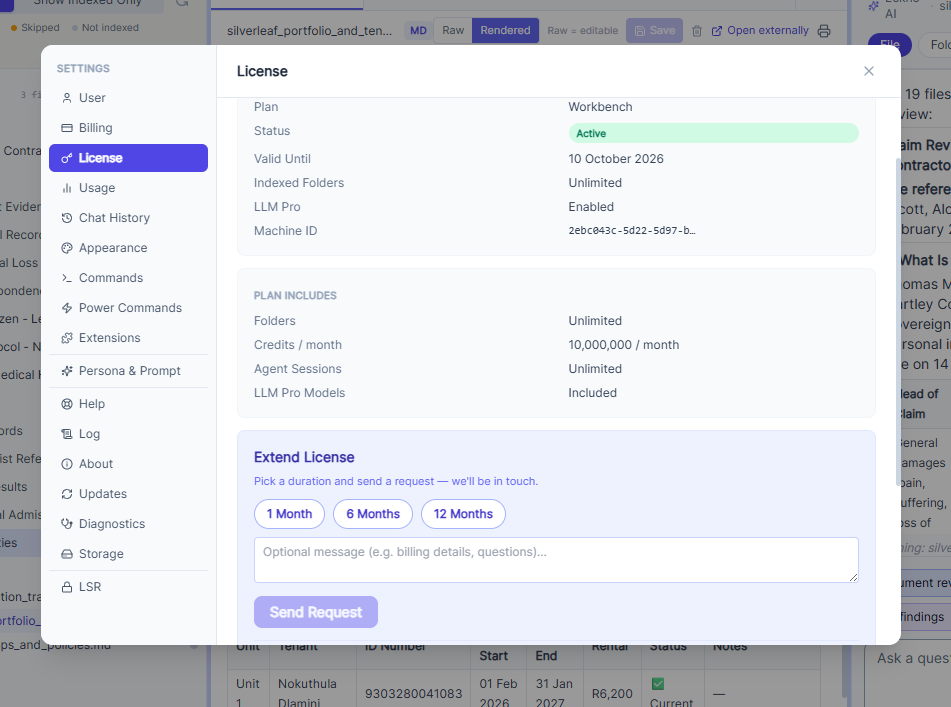
See your usage at a glance from Settings — no guessing where you stand.

From doing it yourself to
working with AI.
See how Eckho Desktop changes the daily reality of working with files.
| The Old Way | With Eckho Desktop |
|---|---|
| Update the same field across ten documents manually | Ask AI to update all of them, review, confirm |
| Open a PDF and copy out the section you need | Ask Eckho what the PDF says — get an instant answer |
| Rename and sort files by hand | Tell AI the naming format, let it do the batch |
| Open every file in a folder to see what is in it | Ask Eckho to summarise the folder for you |
| Paste text into a browser AI tool, then redo the work | AI edits the file directly — you confirm and it is done |
| Re-upload files to AI every time something changes | Tracks file changes automatically — GPT and Claude always read the live version |
| Let folders pile up because there is no time to organise | Ask AI to tidy the folder, review the plan, confirm |
Useful for anyone who manages files as part of their job.
Eckho Desktop is for people who work in documents, folders, and forms every day — and want AI that actually helps with the work.
Legal Case Management
Index a case folder and let GPT or Claude read across contracts, correspondence, evidence, and PDFs. Find gaps, track documents, and get answers — without opening each file one by one.
Insurance Administration
Point Eckho at a claims or policy folder. Ask questions across multiple files, track document status, and let AI do the reading — so you focus on decisions, not manual search.
Investment & Portfolio Records
Keep investment files, reports, and correspondence indexed and queryable. Ask Claude or GPT to summarise position documents or flag anything that needs attention — across the whole folder at once.
Medical & Health Records
Index patient records, clinical notes, or research files and query them with AI. Find specific information across large document sets in seconds — all on your machine, nothing sent externally.
Researchers
Navigate large document collections, extract content, and edit notes alongside AI — all on your own machine.
Operations Teams
Keep folders tidy, enforce naming conventions, archive old files, and update recurring documents — fast, with AI assistance.
Share a read-only knowledge view with anyone.
From within Eckho Desktop, you can publish a secure, browsable version of any folder — so others can navigate your files and query the content with AI, without being able to edit anything.
For you — the owner
Select Your Folders
Choose which folders from your Desktop workspace to include. Only what you select is visible to your audience.
Desktop Indexes Locally
Eckho indexes the selected content on your machine. Nothing is uploaded. Your files stay exactly where they are.
Publish and Share
Desktop generates a shareable link. Send it to whoever needs access — no Eckho account required on their end.
For your audience — the viewer
Open the Link
Your audience opens the shared link in a browser. No login, no app install, no account needed.
Browse the Folder Tree
They see the folder structure you prepared — navigable, organised, and read-only. No editing, no moving, no deleting.
Query with AI
They select a folder or file and ask questions in the right-hand panel. AI answers from your content — using ChatGPT or Claude.
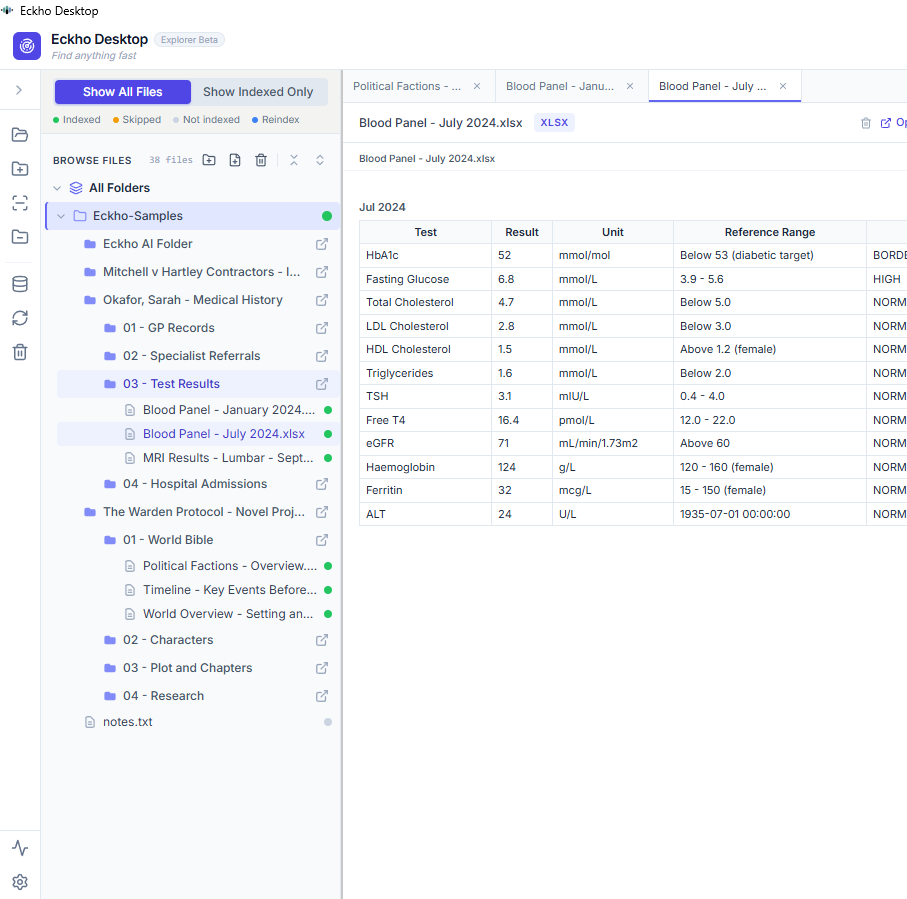
Eckho Desktop is getting better
at everything you do with files.
Eckho Desktop is live now. Here is what's coming next.
Action History & Undo
See everything the AI has done and undo any change — one file or the whole batch.
Smart Templates
Ask AI to fill in a document template using existing files in your workspace. Draft letters, reports, and forms in seconds.
Folder Rules
Set standing instructions for how a folder should be maintained. Eckho keeps it tidy automatically — with your approval.
Multi-Document Editing
Select a group of files and apply the same change across all of them in a single instruction.
Your machine. Your files. Your control.
AI on Your Desktop.
Working on Your Files — Right Now.
Install Eckho Desktop. Point it at your first folder. GPT and Claude start working on your real files immediately — reading, answering, editing, tracking changes. Affordable plans. No cloud required.
Download Eckho Desktop