
Every case. Every document.
Always at your fingertips.
Instant command over your case files — without searching, scrolling, or guessing.
Eckho CaseWork is an Extension for Eckho Desktop that turns the matter folders you already keep on your machine into a structured, queryable case file — no migration, no upload, no new system to learn.
In development — request a demo to see it on your own matter.
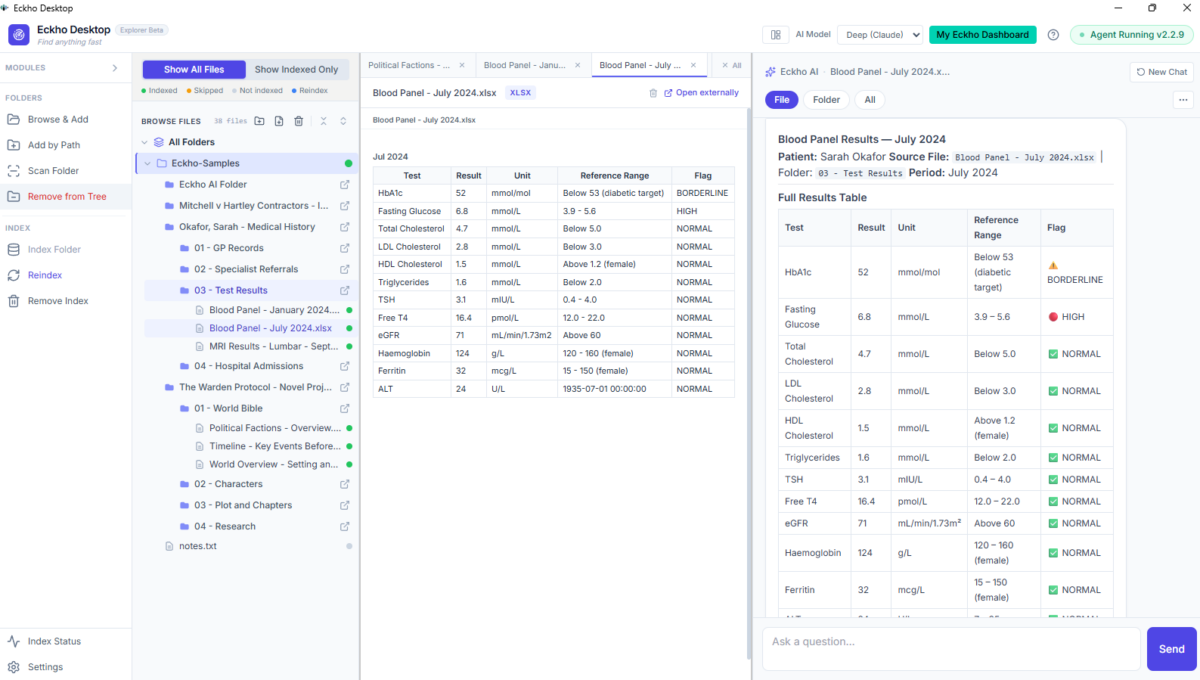
Eckho Desktop with a case folder open — file list on the left, AI assistant panel on the right.
What Eckho CaseWork is
Eckho Desktop is the local-first AI app for working with the files and folders on your own machine. Eckho CaseWork is the Extension that adds case-specific structure, the four Legal Work Actions, and ready-to-use case-pack outputs on top.
Case-specific structure
Parties, chronology, issues, figures, documents present and documents missing — read out of the matter folder.
Four Legal Work Actions
Find, Explain, Update, and Change — work the file in plain language rather than folder-diving.
Ready-to-use outputs
Chronology, schedule of loss, plain-language case summary, and an exportable case pack.
Built on Eckho Desktop
Inherits Eckho Desktop's local-first model — files stay on the machine, nothing is uploaded.
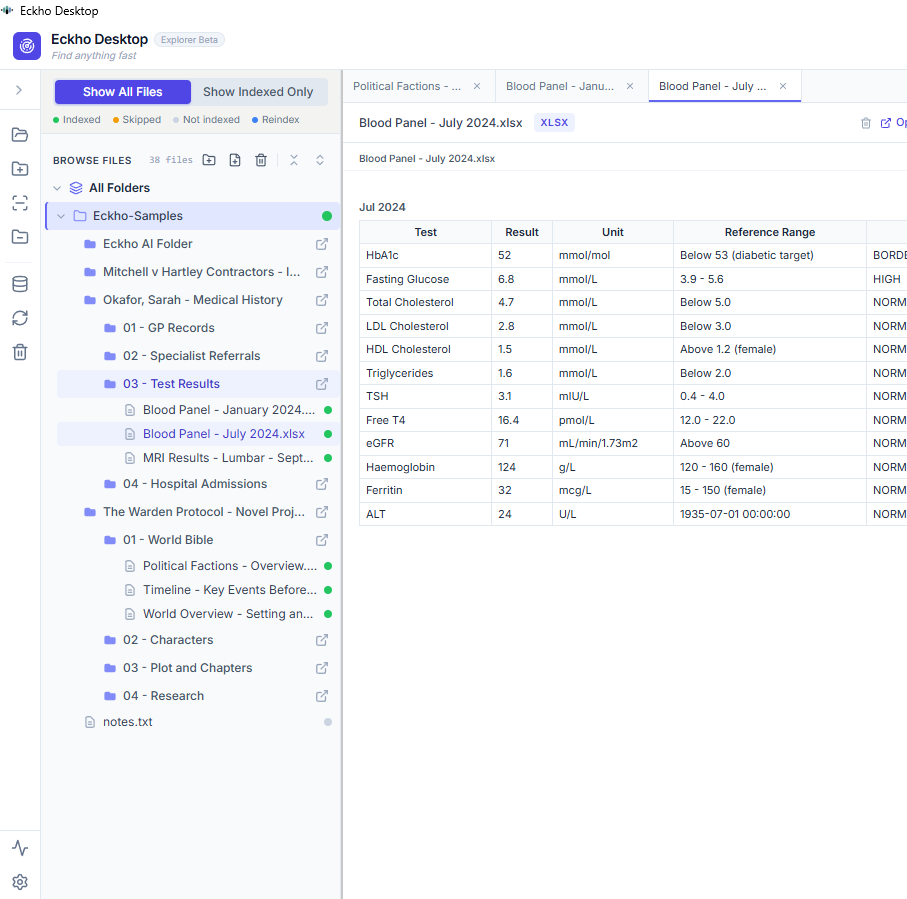
A matter folder and its files, shown as a tree inside Eckho Desktop.
The problem with a matter that lives in folders
A single matter can hold hundreds of documents. Hours go on locating one fact, one date, or one clause. Preparation varies from one fee earner to the next. Gaps in the file are found late — often by the other side. The better-organised file wins.
The cost of a disorganised case file
Time is billed to finding documents instead of advising on them. Colleagues re-request material that is already on file. A missing statement or unserved order surfaces at a hearing. Preparation is inconsistent across fee earners and support staff, so quality depends on who picked up the matter. A structured file removes all of that.
How it works
No data migration. No setup ceremony. Point CaseWork at a folder and it gets to work.
Point it at a matter folder
Point CaseWork at a matter folder on your machine — your structure, your naming, nothing moved.
It reads every document
It reads every document — pleadings, correspondence, PDFs, scans, notes — and builds a structured picture: parties, chronology, issues, figures, documents present and documents missing.
Work the file in plain language
Work the file in plain language — Find, Explain, Update, Change — and export a clean case pack, chronology, or schedule of loss.
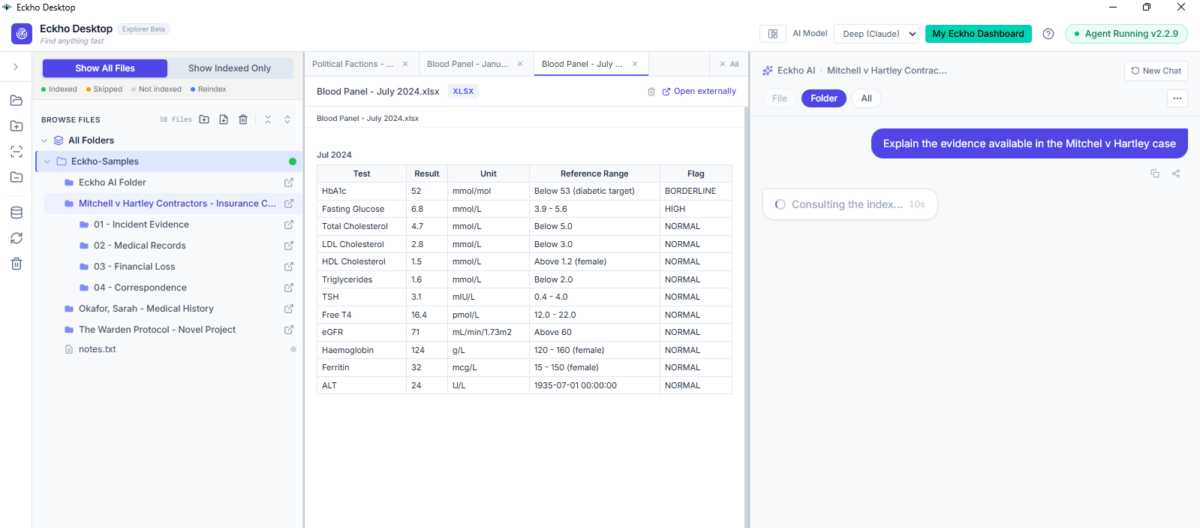
Asking a plain-language question about the case files and getting an answer with its sources.
What it does
Four actions cover the day-to-day work on a matter. Behind them, CaseWork produces the structured outputs a case file needs.
Find
Explain
Update
Change
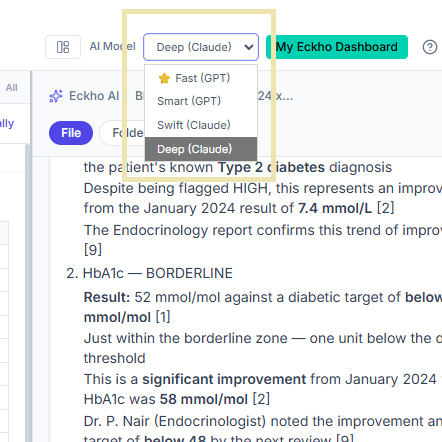
Choose the right AI level per task, from fast lookups to deep analysis.
Case types
The structure fits any practice area where a matter is built from documents.
Personal Injury & Clinical Negligence
Medical records, expert reports, witness statements, schedules of loss, insurer correspondence.
Insurance & Coverage Disputes
Policy wordings, claim forms, loss adjuster reports, coverage correspondence.
Employment & Labour
Contracts, grievance and disciplinary records, payslips, email chains, tribunal filings.
Property & Construction
Contracts and appointments, drawings, site records, valuations, defect schedules.
Commercial & Contract Disputes
Agreements, invoices, payment records, breach correspondence, pleadings.
Regulatory & Compliance Matters
Regulator correspondence, internal policies, audit records, investigation notes.

Eckho Desktop working across a full case folder.
From scattered to structured
CaseWork does not change your files. It changes what you can do with them.
Before
After
Who it's for
Anyone who has to know what is in a matter file, quickly and reliably.
Solicitors, barristers & fee earners
Get on top of a new or inherited matter in minutes, find the fact or document you need on demand, and go into negotiation or a hearing knowing the file.
Paralegals, legal PAs & case administrators
Prepare and maintain files to a consistent standard, keep chronologies and trackers current, and produce a clean case pack without hours of folder work.
Compliance & claims teams
Review matters against what a file should contain, surface gaps early, and keep preparation repeatable across handlers and offices.
Individuals preparing a claim
Litigants in person assembling their own file can use the same structure to understand what they have, spot what is missing, and hand a clean bundle to a solicitor.
Privilege and confidentiality stay intact
CaseWork inherits Eckho Desktop's local-first model. It adds legal case-management capability without adding a cloud service of its own.
-
Case files never leave the machineNo upload, no remote database, no migration. Documents are read where they already sit.
-
You choose which folders it can seeOpen one matter folder and nothing else is touched. Access is yours to grant and withdraw.
-
Privilege and client confidentiality preservedBecause nothing leaves the machine, your obligations to the client are not put at risk.
Eckho CaseWork is in development.
Instant command over your case files is coming to Eckho Desktop. Request a demo to see it run on one of your own matters.